Option 1: Configure Symphony to update MARC holdings automatically
There are two settings in the Serial Control record that trigger automatic updating of the MARC Holdings record:
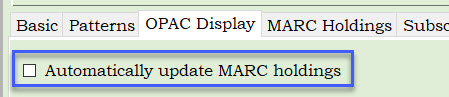
- The first is in the OPAC Display tab. If you check the "automatically update MARC Holdings" box, an Holdings (863) tag will automatically be inserted into the MARC Holdings record for each issue checked in on this control record.
- The second is in the Distribution tab, in each listed distribution.
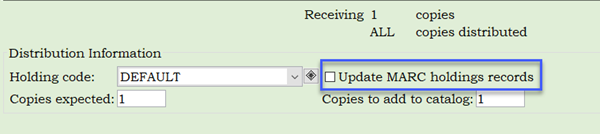
If "Update MARC holdings records" is checked, a Holdings (863) tag will automatically be inserted into the MARC Holdings record for each issue checked in under this specific distribution. A MARC Holdings record does need to exist for this setting to apply.
- Display of MARC Holdings using Option 1 in WorkFlows:
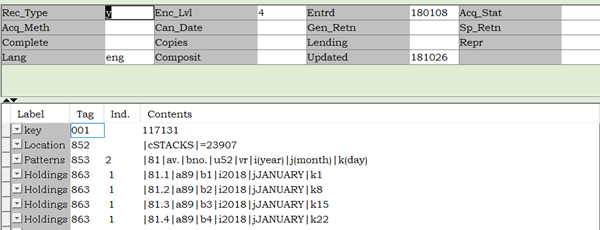
If you choose to use Option 1, 863 tags must be manually be removed when items are discarded; they will not be removed automatically.
Option 2: Manually update MARC holdings with an 866 textual holdings statement
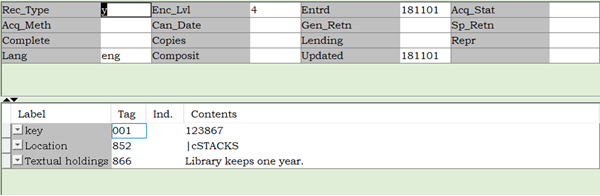
Instead of automatically creating Holdings (863) tags each time you check in an issue, you can enter one holdings statement in an Textual Holdings (866) tag.
- Make certain both the box in the OPAC Display tab and the box(es) in the Distribution tab are unchecked.
- After creating your control record, navigate to the MARC Holdings tab. If a MARC Holdings record does not already exist for your library, you need to create a new one.
If a MARC Holdings record already exists for your library, click on your MARC Holdings record to open it. Skip steps 1 through 3.
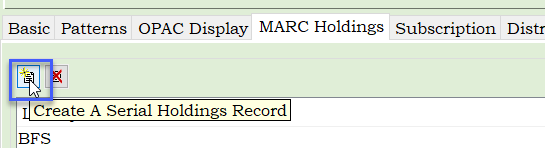
- Click on the Create a Serial Holdings Record tool.
- Choose your 3-letter library code from the dropdown and click OK.
- Type the Home Location where this serial is shelved in the Location (852) tag.
- Type your holdings statement in the Textual Holdings (866) tag, e.g., Library keeps one year.
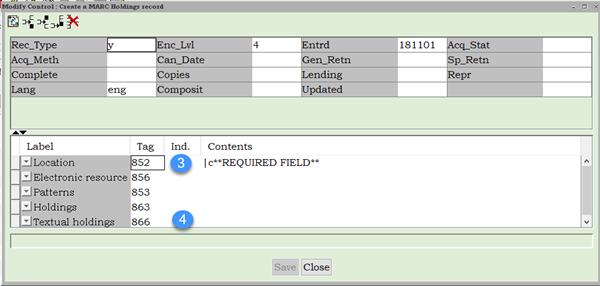
- Click Save, and Close.
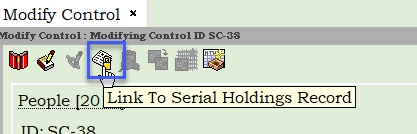
- Click on the Link To Serial Holdings Record Helper.
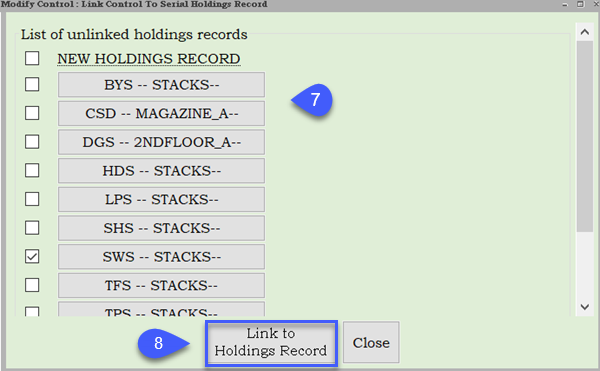
- Choose the MARC Holdings record you just created from the list of unlinked holdings records.
- Click Link to Holdings Record. Your MARC Holdings record is now finished and linked to your control.
- Display of MARC Holdings using Option 2 in WorkFlows: