At the end of each calendar year, SWAN runs patron records through the United States Postal Service (USPS) National Change of Address (NCOA) database and populates Symphony with updated address and geolocation information for your patrons.
NCOA Processing
In late November or early December, we send all patron records for processing against the National Change of Address (NCOA) data provided by the United States Postal Service (USPS). On average, this process returns 4-5% of patron records with an updated address.
Once those records are returned to us, we overlay the current patron records. The processing is generally completed by the first week of January.
Records with updated address
- Address changes are reflected in Address 1
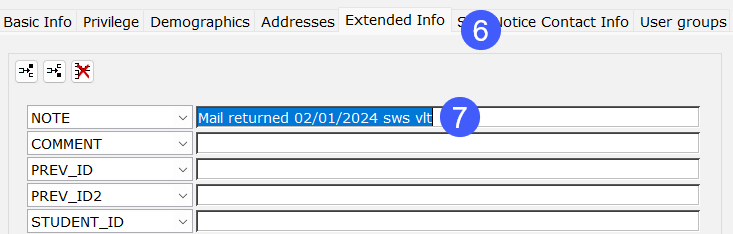
- The previous address on record is written to a patron note field (SWAN NCOA 20xx)
- User Category 6 contains the value NCOA20xx
The value 20xx refers to the year the processing took place. For example, records sent at the end of 2023 received notes and User Category 6 fields indicating NCOA2023.
No change to patron status is made. Libraries who wish to have the patron status updated to BADADDRES to block circulation until the address is verified can submit a SWAN support ticket. This request requires the Library Director's approval.
Recommendations for review and action
Below are some SWAN recommendations for NCOA follow-up by staff at your library. See the NCOA Reports section below for helpful BLUEcloud Analytics reports that will assist you with these tasks.
- If you would like SWAN to purge records that are no longer in your service area, submit a support ticket indicating:
- Bill forgiveness threshold (no patron records can be removed if outstanding bills, checkouts, or holds are present)
- Criteria for geographic removal (e.g. out of state)
- Criteria for Last Activity Date (e.g. prior to 1/1/2023)
- If the patron is still within your service area, manually update the patron after verifying their new address and contact information.
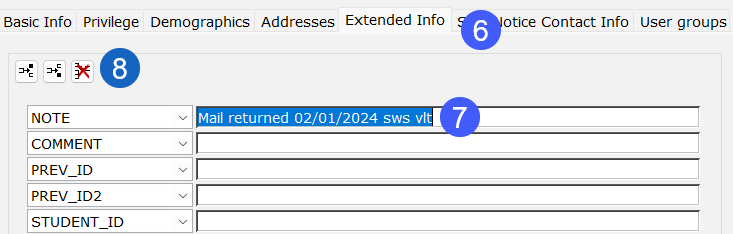
- Remove any User Notes associated with NCOA processing once the patron's new address has been confirmed
- Update User Category 6 to the blank choice
- Manually remove the patron that is long inactive with no outstanding activity (e.g. common scenario is juveniles who are now adults and moved away from childhood home)
- Review accounts for patrons who have moved from a different SWAN service area to your service area. This will allow you to reach out to the patron to invite them to get a card at your library. If the 4-digit barcode prefix does not belong to your library, do not modify the record until the patron applies for and receives a card at your library.
NCOA Reports
The BLUEcloud Analytics NCOA Processing folder contains several reports to assist in the review of these updated patron records.
In prior years, we have provided separate reports for each year of NCOA processing. As of January 2024, reports will provide lists and counts of users updated for all NCOA processes regardless of year. Count reports will display each year in a separate column.
See: SWAN Reports > Users > NCOA Processing
Count by Library of NCOA20xx User Cat 6
- This report provides a count of patron records flagged with NCOA20xx.
- NCOA20xx patrons from previous years should have been updated or removed during the past year. Please review and update or remove these records. Refer to the List Users reports in the NCOA BLUEcloud Analytics folder for details on these patrons.
List Users - NCOA Flagged
Note the recommended actions listed above to initiate the removal or update of all patrons with changed addresses.
- Select your library for a list of all patrons assigned to your library with User Category 6 = NCOA20xx.
- You may also target specific user profiles, but be sure to do a final check of all profiles associated with your library.
List Users - NCOA Flagged - My Service Area, Not My Library
This report will assist libraries that would like to reach out to patrons who have moved into their service area as explained in recommended action 4 above.
- Select your service area's city and your library.
List Users - NCOA Flagged (Inactive - Out of State)
This report lists patrons who have moved outside of Illinois and have not been active since before the prior calendar year.
- Select your library.
- Recommendation: Remove patrons who are inactive and no longer residing in Illinois
List Users - NCOA Flagged (Inactive Out of State - With Bills)
This report lists patrons who have moved outside of Illinois and who owe bills.
- Select your library.
- If you would like SWAN to purge records under a bill threshold and period of inactivity, submit a help ticket.
Geolocation update
In addition to updating any changed address, any patron record that was active since the prior processing receives a refresh of geolocation data. This ensures any patrons new or updated in the past year receive updated geolocation coordinates.
- Address 3 fields updated for geo-location reporting:
- Latitude
- Longitude
- Census Tract
- Census Block
Updating BADADDRES status after verifying new address
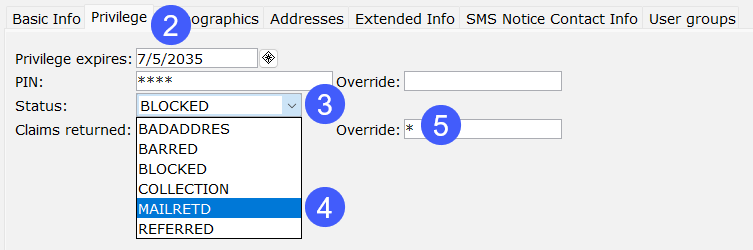
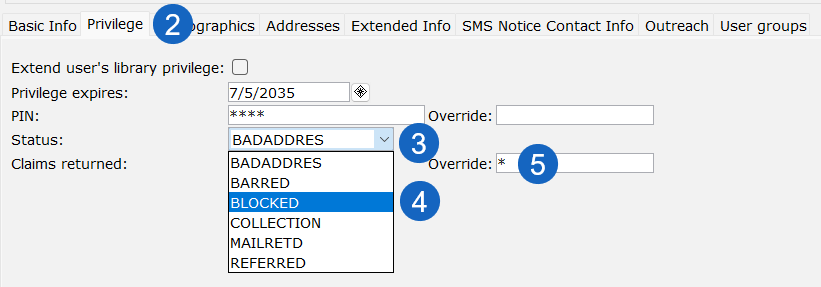
If you have a patron record with a BADADDRES status, follow your local policy to verify the new address. Once you have verified the new address you can update the status of the record using the Modify User wizard.
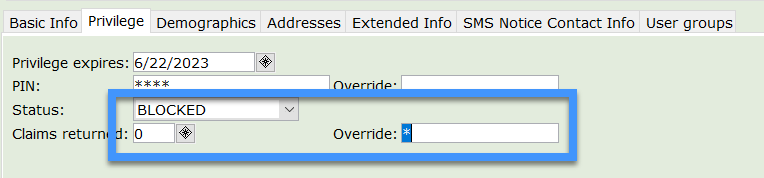
You will not be able to update to OK. You must select BLOCKED from the Status drop-down menu and include the override. When you save the record, WorkFlows will automatically update the status to the correct setting (OK, DELINQUENT, BLOCKED).